
Tryo Chat — WooCommerce Chatbot
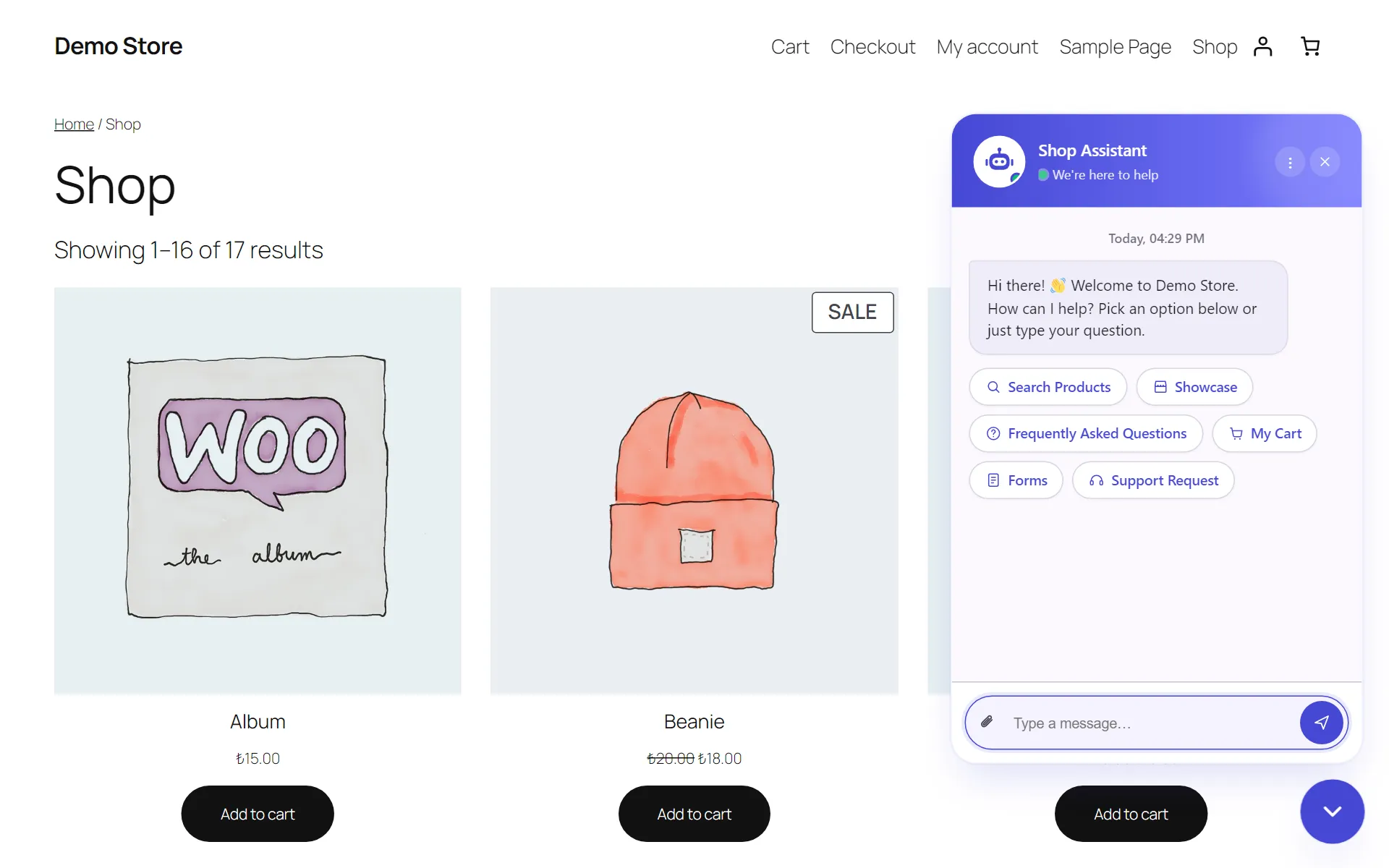
Tryo Chat adds a chatbot to your WooCommerce store without any code. The bot answers common questions instantly with the answers you write, lets visitors find products and add them to the cart inside the chat, and sends anything it can’t handle to your inbox as a support request.
Version: 2.2.0 · Tested with WordPress: 7.1 · Requires: WooCommerce
Requirements
Section titled “Requirements”| Minimum version | |
|---|---|
| WordPress | 5.8 |
| PHP | 7.4 |
| WooCommerce | 4.0 |
The free version needs no account, API key or external service. All data is stored in your own WordPress database.
What can a visitor do in the chat?
Section titled “What can a visitor do in the chat?”- Search for products: results show the image, price and an “Add to Cart” button.
- Browse the showcase: see on-sale or featured products in one tap.
- Type a question: if it matches your FAQ, they get the answer instantly.
- Browse the FAQ list.
- Manage their cart: change quantities, remove items and go to checkout.
- Contact you: send a support request or one of the forms you created.
In this documentation
Section titled “In this documentation”- Installation and first steps
- Frequently asked questions (FAQ)
- Product search and cart
- Forms and support requests
- General settings
- Appearance
- Import and export
- Troubleshooting
- Release notes
Tryo Chat Pro
Section titled “Tryo Chat Pro”AI chat, a knowledge base, the bargaining bot, live chat hand-off, WhatsApp/Telegram/Messenger and proactive messages are part of Pro. See the Tryo Chat product page for details.